Upload the PDF of an invoice. Check if the PDF contains a clear text and an XML file compliant with a normalized Factur-X schema. Validate that the PDF is a PDF/A-3b. If the PDF contains photocopies, recover the text of the invoice by OCR. Analyze the conformity of an invoice with regulatory texts. Obtain a report on all the mandatory information present or not in an invoice. Generate the XML file factur-x.xml of an invoice. Convert the PDF and the XML into a PDF/A-3b of an invoice normaized EN 16931.
Factur-X is a file format suitable for exchanging invoices for all types of organizations. It consists of an image file (PDF) and a structured data file (XML). Factur-X complies with the European Semantic Standard EN 16931, published by the European Commission on October 16, 2017.
The PDF/A is an ISO-standardized version of the PDF format specialized for use in the archiving and preservation of electronic documents.




OpenAI offers an API that enables the analysis of complex documents.
Tesseract is a free optical character recognition software.
The veraPDF consortium, led by the Open Preservation Foundation and the PDF Association, was created in response to the EU Commission's PREFORMA challenge to develop an open-source validator for the PDF/A format.
Ghostscript is a suite of software for processing Postscript and PDF files.
Poppler provides a set of commands for extracting the pages, the text and the images of PDF files.

Uploading the PDF of an invoice in your personal space runs a series of tests.
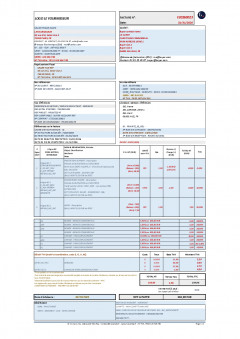
If the PDF doesn't contain a clear text but a photocopy, try the OCR function to read the text of the invoice.
The conformity analysis of the invoice includes the complete list of the required information as explained on the site Service Public - Entreprendre with the values extracted from the invoice or a cross ✗ in case of default. Note that the consistency of all amounts is checked.
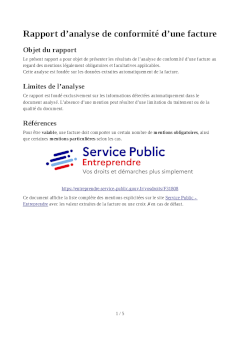


Adapting the prompt and the reference documents in parameters of the analysis of your invoices by OpenAI and the presentation and the content of the report with your own ODT document are configurable options in your personal space.
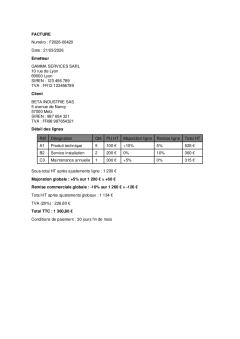
4
This AI-generated test invoice is non-compliant. The PDF doesn't contain an XML file named factur-x.xml. The PDF isn't a PDF/A-3b with 4 errors.
NOTE: The invoice includes allowances and charges per line and globally.
The result of the analysis of the invoice by the first prompt is passed as a parameter to a second prompt which extracts the content of the invoice to generate by program a file factur-x.xml compliant to the requested profile.
The file factur-x.xml is inserted in a copy of the original PDF converted into a PDF/A-3b.
en16931

$ curl -D - -X POST "https://facturalex.com/api/v1/scanfile?login=abcdef&password=ABCDEF" -F "file=@file.pdf"
{"status":"success","data":{"clear_text":true,"xml":null,"pdfa_errors":["6.2.4.3-2","6.6.2.1-1"]}}
All functionalities are available in the interface of your personal space or by program through a simple REST API. See the User's Guide.
All communications are encrypted.

The files you upload or download are inaccessible to others.
